Configure your installation
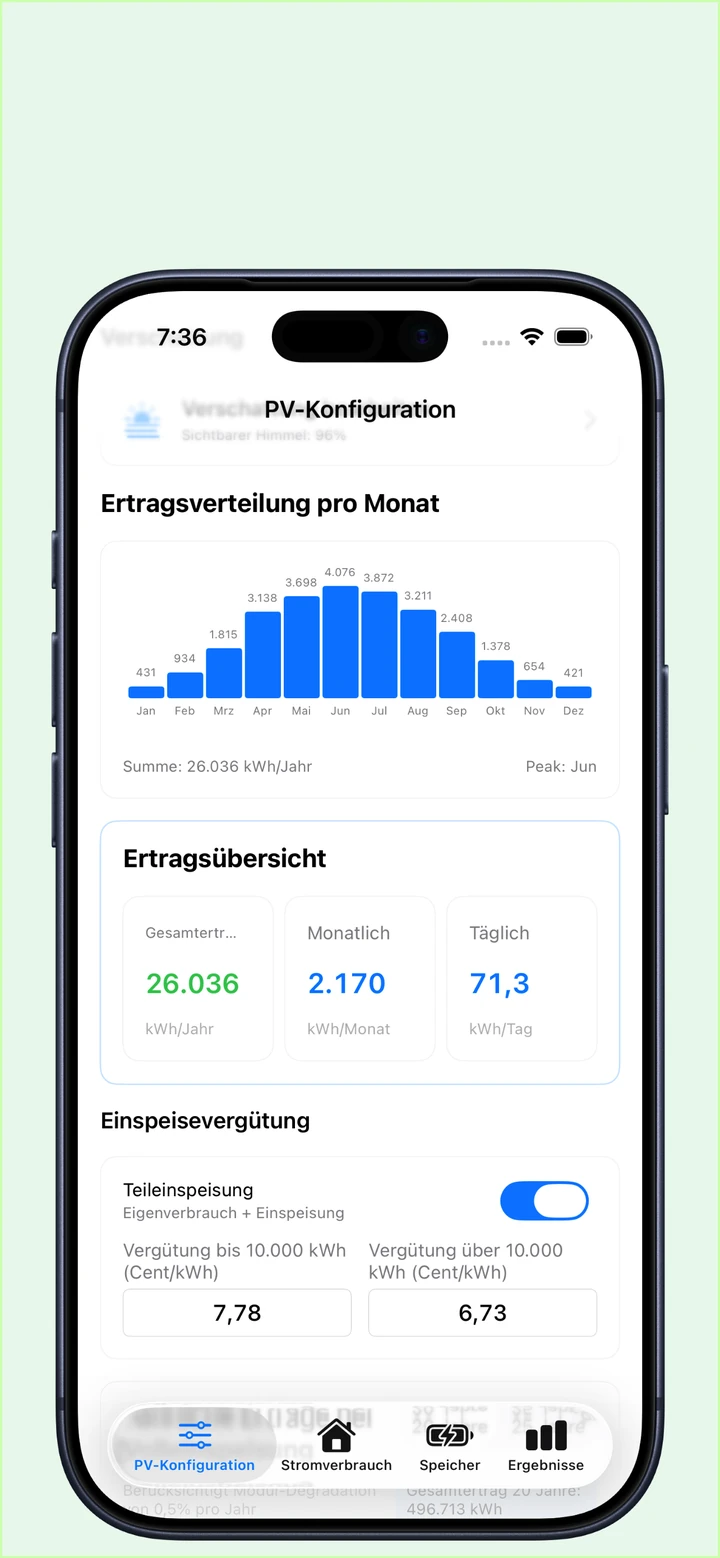
Enter your postcode and add roof surfaces, orientations, tilts, modules and shading.
Plan your solar installation with confidence: easily calculate yield, battery storage, self-consumption, self-sufficiency and payback, and compare scenarios.
System configuration, battery simulation and shading assessment are free. Unlock detailed results and analysis with a Pro subscription.
PV Energy Planner
PV Energy Planner helps you calculate the performance and economics of your photovoltaic installation realistically and clearly. Estimate yield, self-consumption, battery requirements and the financial performance of a planned installation, or assess adding battery storage to an existing system. Compare scenarios and build a sound basis for your decision.
System configuration, battery simulation and shading assessment are free to use. A Pro subscription unlocks detailed results, analysis and financial calculations.
Enter your postcode and add roof surfaces, orientations, tilts, modules and shading.
Account for household electricity, a heat pump, an electric vehicle and other consumers. Find a suitable battery capacity.
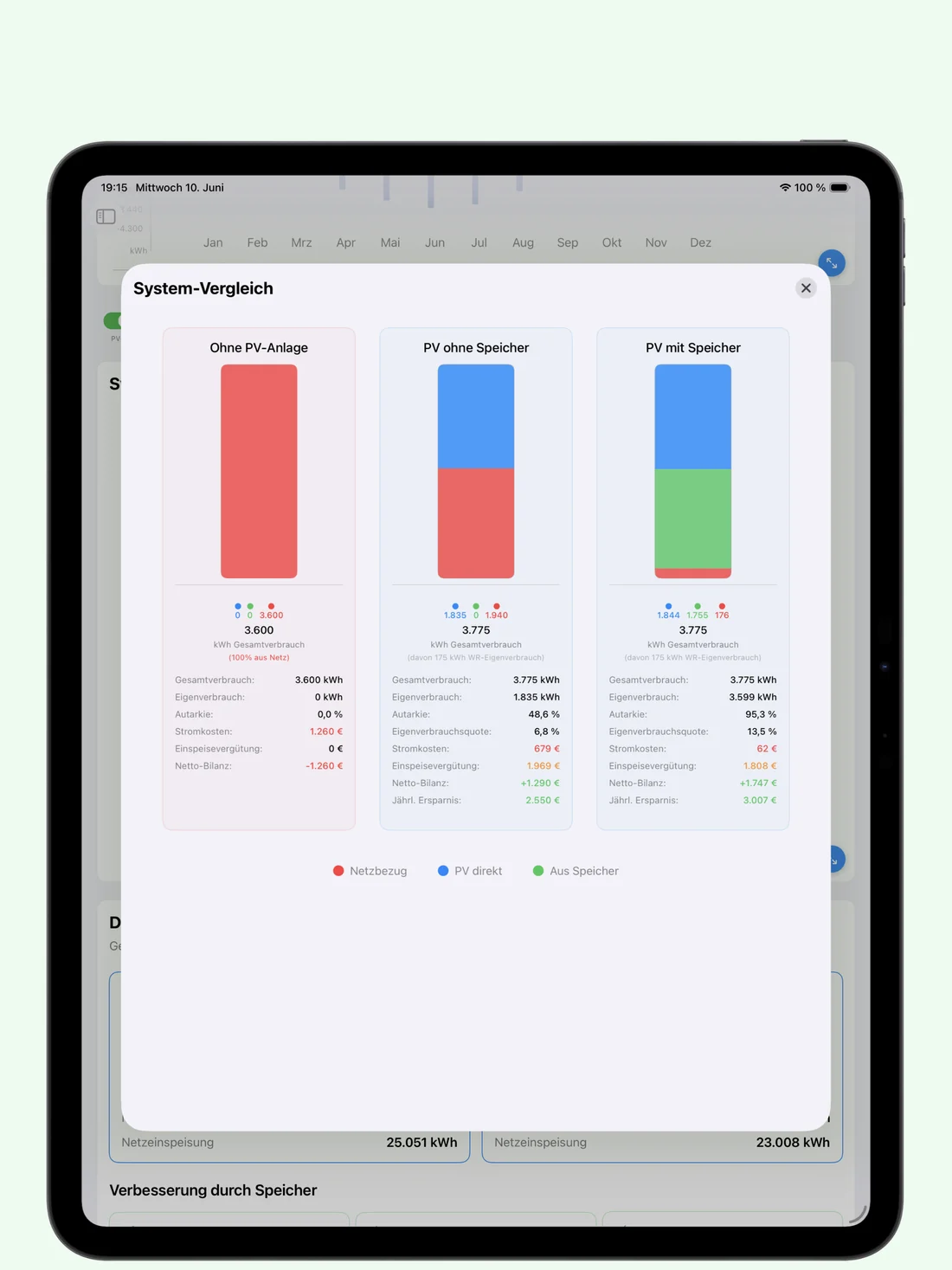
Compare no solar, solar without storage, and solar with battery storage, including long-term financial performance.
Configuration · Battery simulation · Shading
The free basic version lets you configure your solar installation, calculate solar yield and determine an optimal battery capacity for your electricity consumption. Simply enter your postcode to calculate the average electricity generation of your future installation using location-specific irradiation data.
Determine an optimal battery capacity for your electricity use. The sizing simulation takes solar yield and consumption into account.
Record obstacles that reduce solar yield in each compass direction. Shading from buildings, trees or terrain is recorded as elevation angles.
On iPhone and iPad, you can also capture a camera-based 360° horizon profile using AR.
Record your consumption by household electricity, heat pump, electric vehicle and other consumers. Electric vehicles can include standard charging and charging from surplus solar power. You can also enter individual electricity tariffs.
Simulate batteries up to 50 kWh, including charging and discharging losses, self-discharge, reserve capacity and degradation.
The app supports partial and full feed-in and calculates feed-in remuneration over a period of up to 25 years.
For existing installations
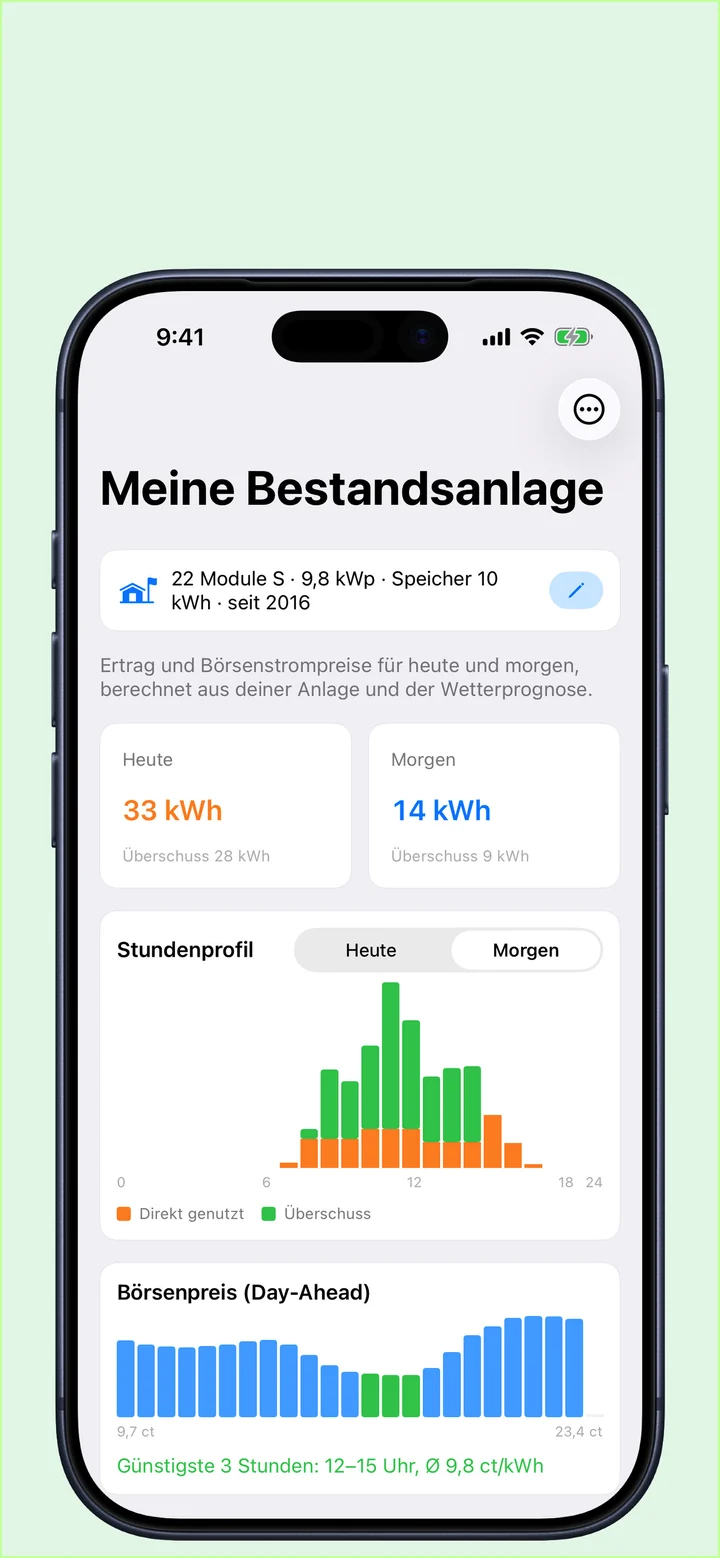
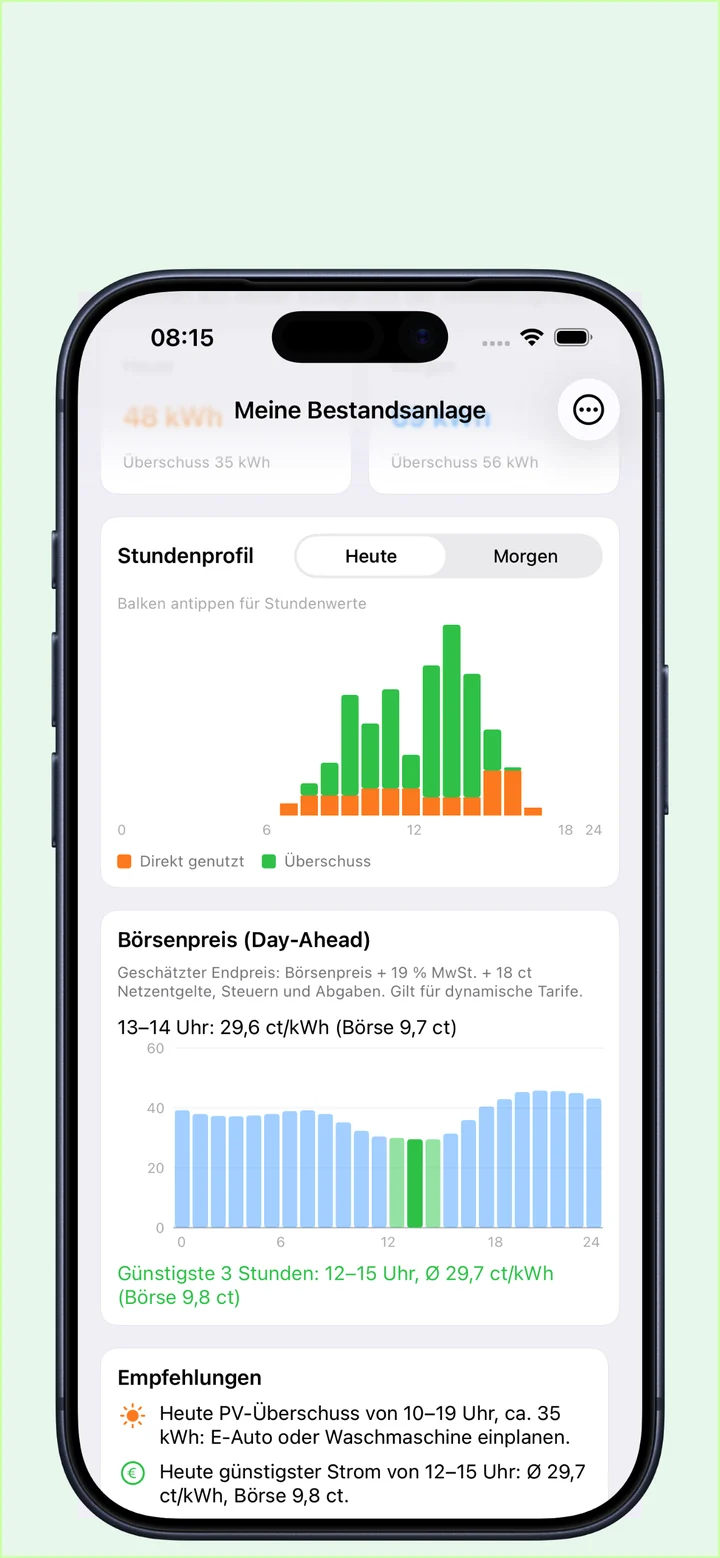
Pro · Yield forecasts & electricity pricesAlready operating a solar installation? Set it up once to see expected yield today and tomorrow, along with a chart of day-ahead electricity prices across the entire day.
From the market price, the app calculates the estimated price you would actually pay with a dynamic electricity tariff, including VAT, grid fees and levies. Tap an individual hour to see its exact price.
See at a glance when charging or electricity use is worthwhile, and keep track of when your installation’s EEG feed-in remuneration expires.
Pro version by subscription
Detailed results & analysisA Pro subscription unlocks detailed results, analysis and financial calculations.
Compare with Pro
Compare the three scenarios to assess which option suits your planned or existing installation.
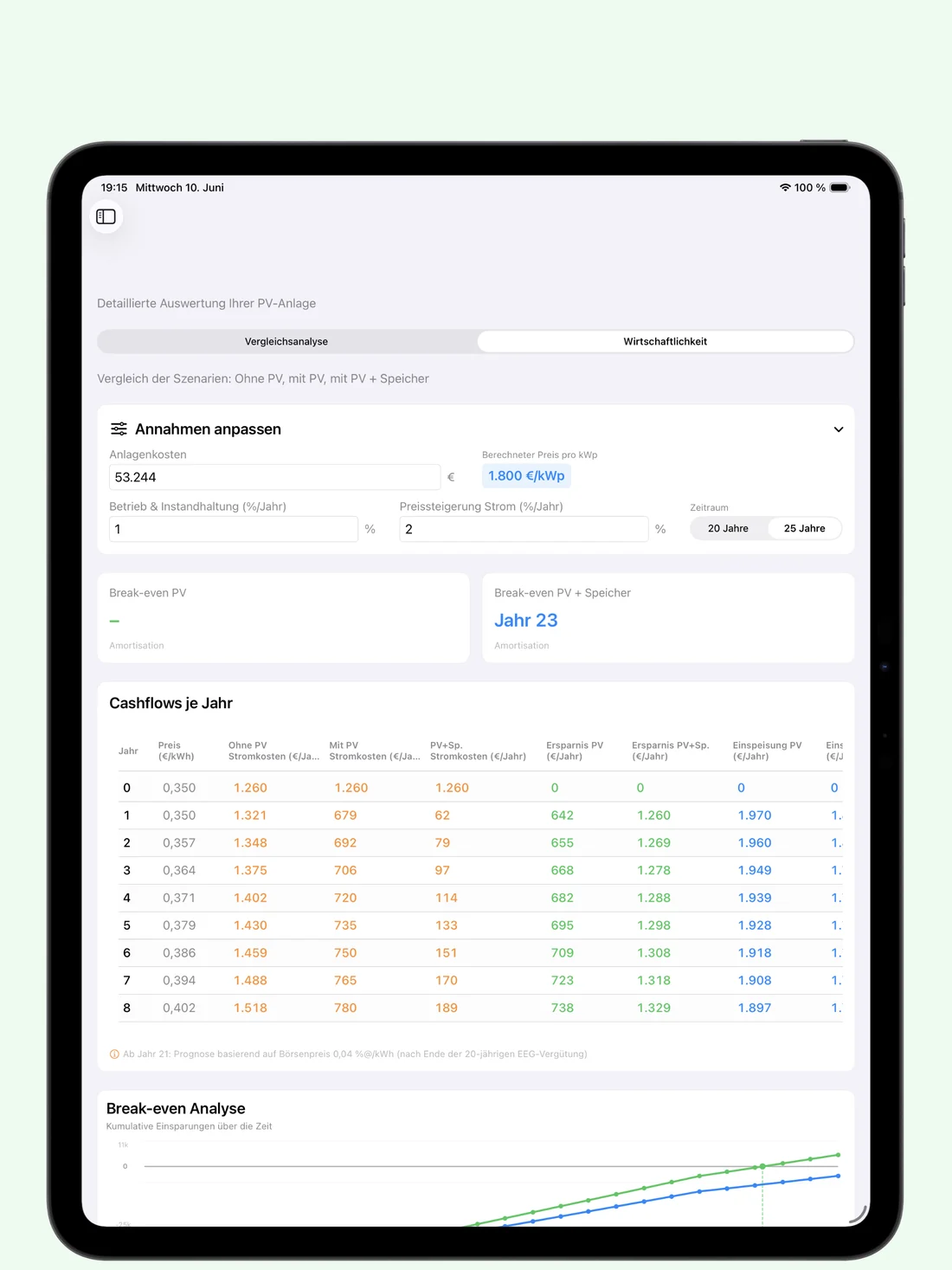
Simulate electricity costs over 20 years, including percentage price increases.
Compare a solar installation without a battery, with lower investment costs.
Compare solar panels combined with a battery for higher self-consumption.
Inside the app
Click an image to enlarge. Swipe for more. Screens shown in German.
Ideal for
Owners of existing solar installations who want to add battery storage.
Homeowners planning a solar installation and assessing their options.
Users with a heat pump or electric vehicle who want to include these consumers in their planning.
People considering batteries who want to simulate capacity requirements and self-consumption.
Energy advisers and solar installers who want to compare system scenarios.
Good to know
System configuration, battery simulation and shading assessment are free. You can configure your solar installation, calculate solar yield and determine an optimal battery capacity for your electricity consumption.
Pro unlocks detailed results, analysis and financial calculations. This includes monthly yield and consumption charts, cash flows over 20/25 years, break-even analysis, full-screen charts and CSV export, plus daily yield forecasts and electricity price charts for existing installations.
Yes. The app helps you assess adding a battery to an existing solar installation. Enter your system and electricity consumption, and simulate a suitable battery up to 50 kWh, including losses, self-discharge, reserve capacity and degradation.
Record obstacles such as buildings, trees and terrain as elevation angles for each compass direction. On iPhone and iPad, you can also capture a camera-based 360° horizon profile using AR. This is an estimate and depends on orientation, capture position and surroundings.
The chart shows day-ahead market prices across the entire day. The app estimates the price of a dynamic electricity tariff, including VAT, grid fees and levies. Tap individual hours to see the exact price. This feature requires Pro.
PV Energy Planner is available for iPhone, iPad and Mac. The App Store listing shows the current system requirements for your device.
The app supports planning, simulation and estimation. All results are based on models, assumptions and approximate values. They do not replace professional system design, measurement, advice or installation by a qualified contractor.
The app supports planning, simulation and estimation. All results are based on models, assumptions and approximate values. They do not replace professional system design, measurement, advice or installation by a qualified contractor.
Camera-based shading assessment estimates the horizon profile and depends on orientation, capture position and surroundings.
Terms of Use (EULA)For your energy transition
Compare scenarios and build a sound basis for your decision, on iPhone, iPad and Mac.